Inchli 1.2: colours, a day planner and talking it through
Inchli 1.2 is out now on the App Store for iPhone and iPad. A Mac version is on its way. This post also covers 1.1, which we didn't write up at the time.
New in 1.2, mostly for Inchli Plus:
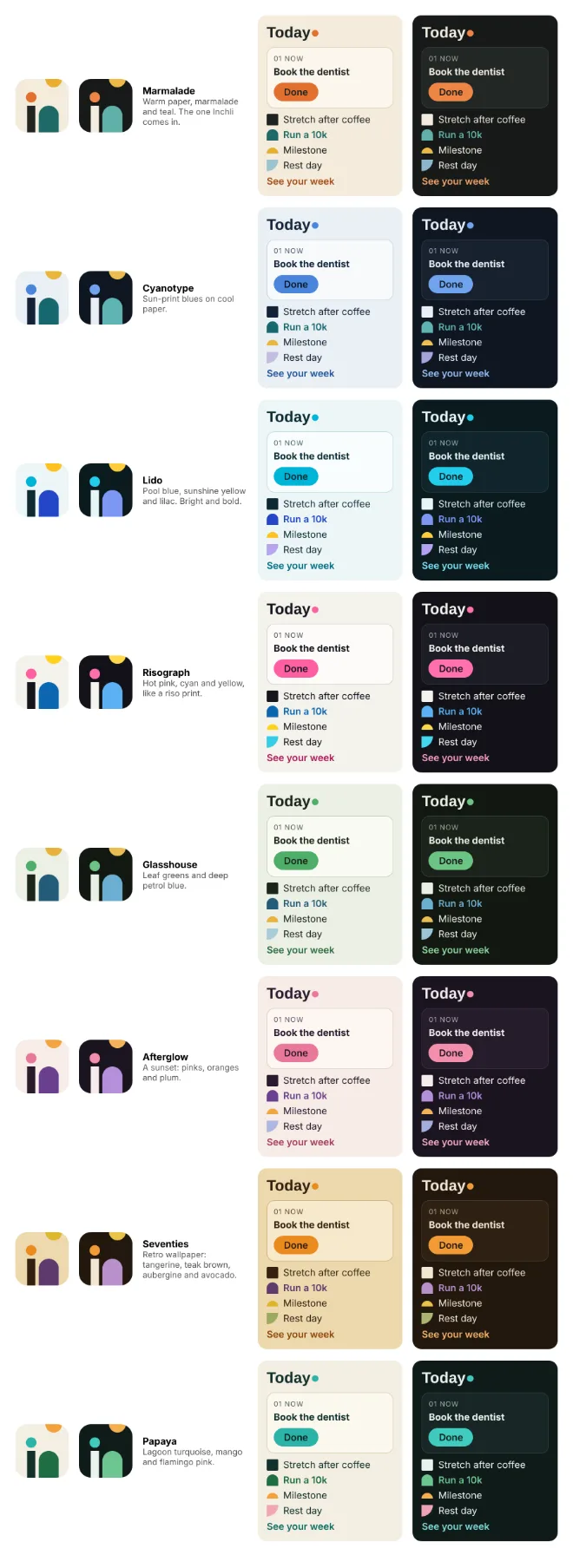
- Eight colour themes and matching app icons. Settings > Colours has Marmalade, Cyanotype, Glasshouse, Afterglow, Papaya, Seventies, Lido and Risograph, each in light and dark. Pick one, or let it follow your phone.
- Plan my day. Each thing gets a guess at how long it takes, from the words and then from your own timer, so the guess gets closer to you. Inchli fits them into the time you have until you finish, with breathers between, and never into bedtime. If the day is too full it says so and offers Move to tomorrow, with Undo.
- Your calendar, if you want it. Plan my day can read your Apple Calendar to work around events, and writes only to its own calendar called Inchli. It asks first, and works without it.
- Brain dump by voice. Say everything on your mind in one go and get it back as separate cards to add, change or skip. With Plus, Sort my words online turns what you say into cards, and Wrap up lets you talk through your evening. It's optional, and the privacy page has an "AI in Inchli" section that says exactly what is sent and what is kept.
- Done, with a little more ceremony. Each card now leaves in one of nine ways, never the same twice in a row. When the last thing on Today is done, the whole screen says so.
- Give a friend a free month. In Settings > Friends, send a code: their first month of Plus is free, and once they've used Inchli on three days you get a free month too.
Reduce Motion and the largest text sizes are respected throughout, and nothing here adds points, quests or pressure.
Earlier, in 1.1:
- Inchli on the iPad, with Today and the rest laid out to use the room.
- Brain dump, to type or say a whole jumble of things and sort them card by card.
The pictures show the eight Plus colour themes, light and dark.